Auto-Detect Guessed My Cardinality, and Guessed It Wrong
Power BI, Data Modeling
Every model I inherit has at least one relationship that nobody drew on purpose. Power BI's auto-detect creates them the moment you load two tables that share a column name, and most of the time the result looks fine. That's exactly what makes it dangerous.
This one came from a scratch workspace where I was rebuilding a Customer-to-Orders model on the SalesLT sample. I loaded the tables, let auto-detect wire them together, and moved on to the measures.
What auto-detect decided
It set the Customer-to-SalesOrderHeader relationship as one-to-one, bidirectional. At the moment it made that call, it was technically correct: every customer in the data I'd loaded happened to have exactly one order. Auto-detect reads cardinality off the rows in front of it, not off the business rule. It has no idea that a customer can obviously place a second order — nothing in the model said so, because nothing had violated it yet.
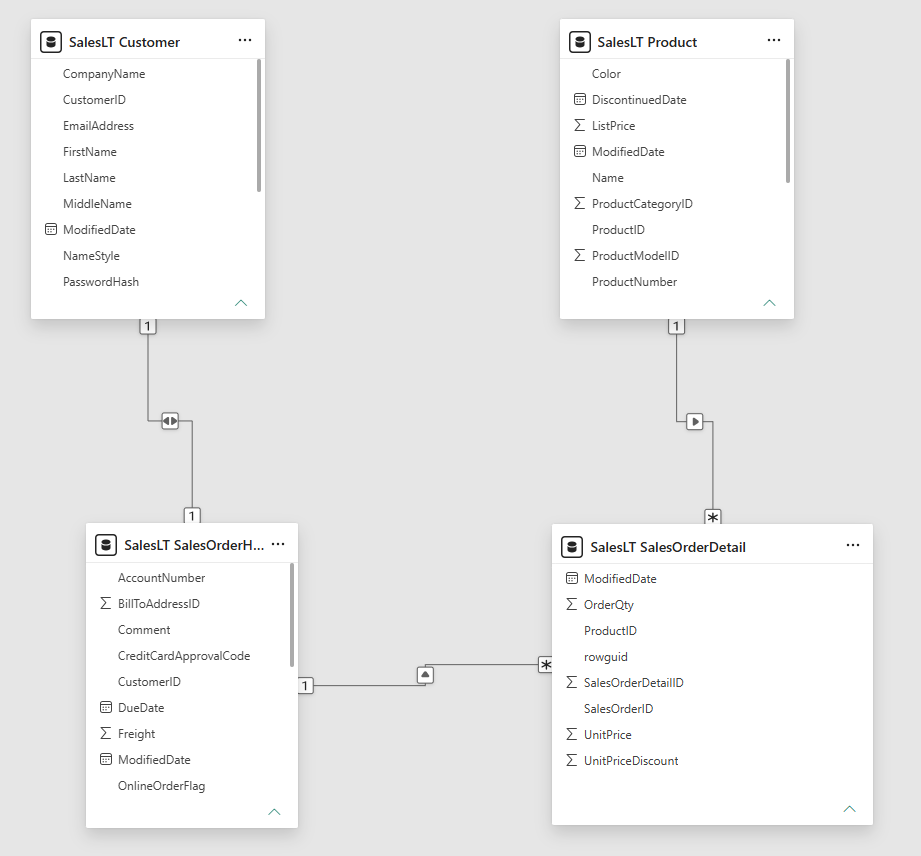
The refresh that broke
The first time a customer placed a second order, refresh failed outright:
Column 'CustomerID' in Table 'SalesLT SalesOrderHeader'
contains a duplicate value '30050' and this is not allowed
for columns on the one side of a many-to-one relationship.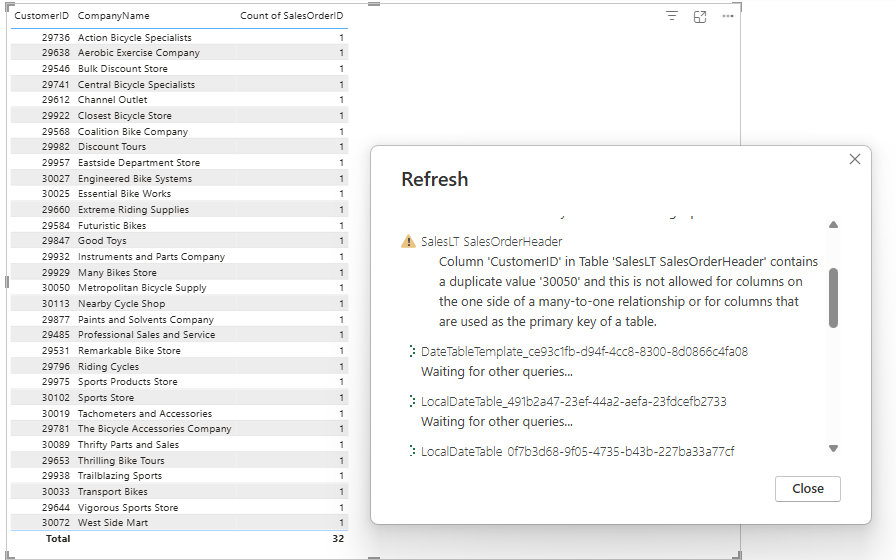
No warning at build time. No squiggle in Model view. The model was “valid” right up until real data disagreed with an assumption nobody had consciously made.
The fix is two dropdowns
In Model view I changed two things:
- Cardinality — one-to-one → one-to-many, with Customer on the one side and SalesOrderHeader on the many side
- Cross-filter direction — bidirectional → single
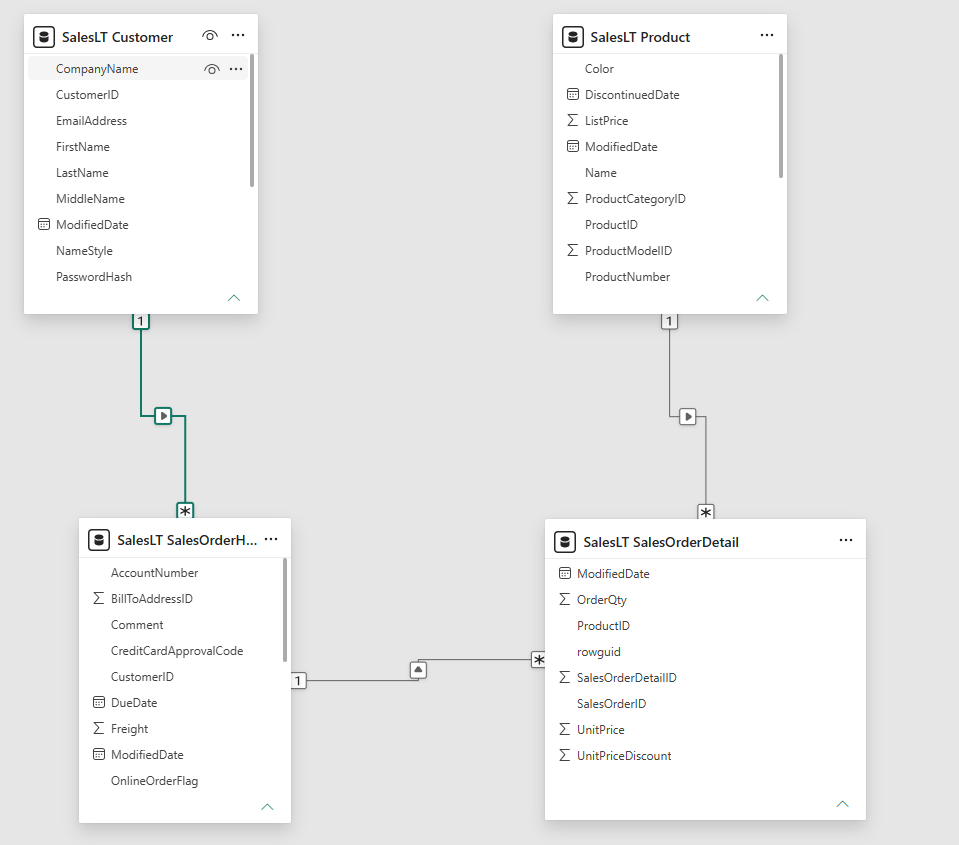
This is just the normal shape of a dimension-to-fact relationship — one customer, many orders. It's obvious once you look. The problem is that auto-detect will never tell you to look.
After the fix
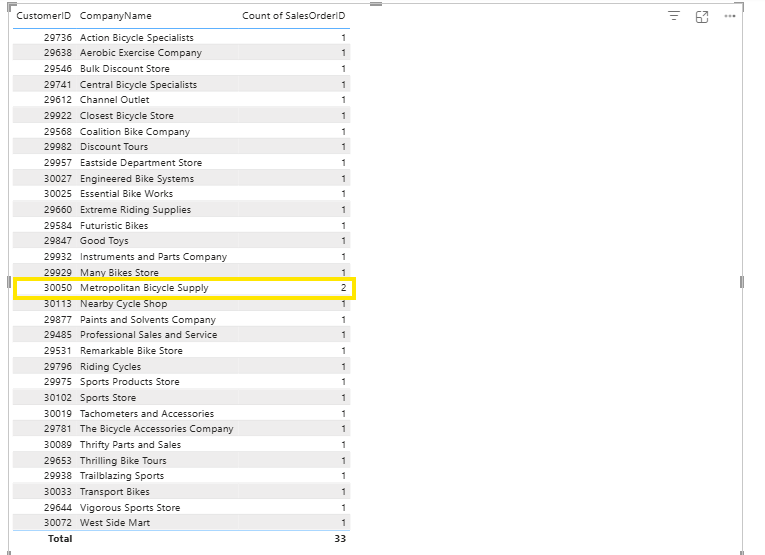
The same refresh that died on customer 30050 — Metropolitan Bicycle Supply — completed cleanly, and that customer correctly showed a count of 2. Total order count across all customers came to 33, complete and accurate.
Auto-detected cardinality is a guess dressed up as a fact. On any dimension-to-fact relationship, open Model view and check it yourself before you build anything on top.
What I take from this
- Auto-detect infers cardinality from the rows present when the relationship is created, not from the real-world rule
- Small or early datasets are the most likely to produce a wrong 1-to-1
- Verifying a relationship in Model view takes seconds; a broken production refresh does not