I Built the Same View-Switcher Two Ways: Bookmarks vs Field Parameters
Power BI, Data Modeling
The requirement was small: let a report user switch a bar chart's axis between Product name and Customer name. I've always reached for bookmarks for this. This time I built it both ways and compared them directly, instead of just going with the familiar one.
The bookmark version
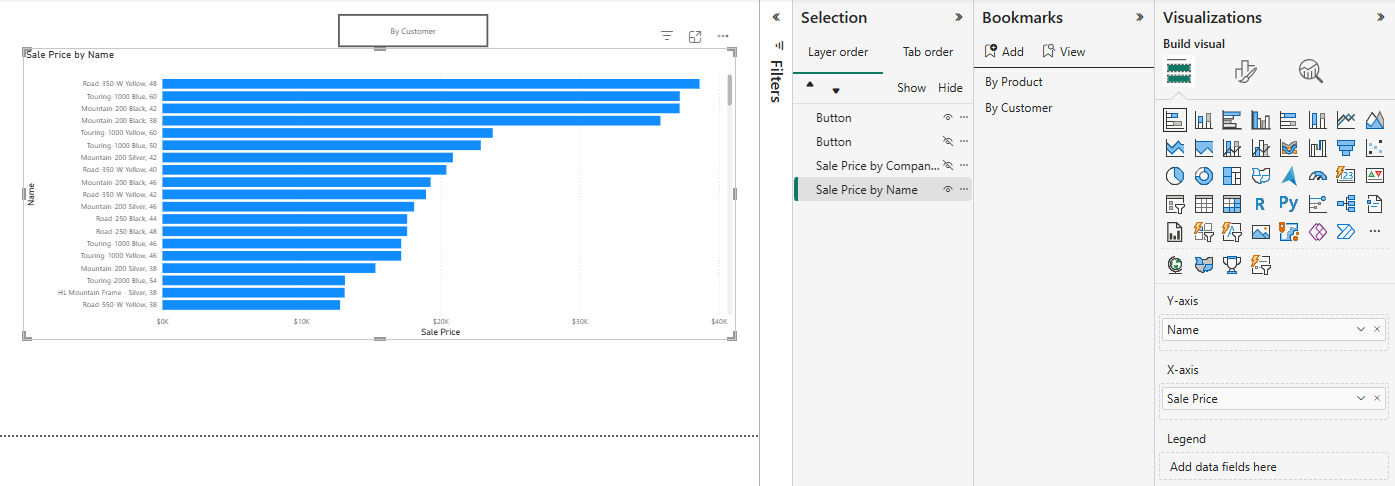
Built the “By Product” view, saved a bookmark. Switched the chart to “By Customer,” saved a second. Added two buttons, assigned each a bookmark action. Result: two bookmarks, two buttons, and Power BI now tracking visual state — position, filters, formatting — as part of each bookmark, which is a lot more than “which field is on the axis.”
The field parameter version
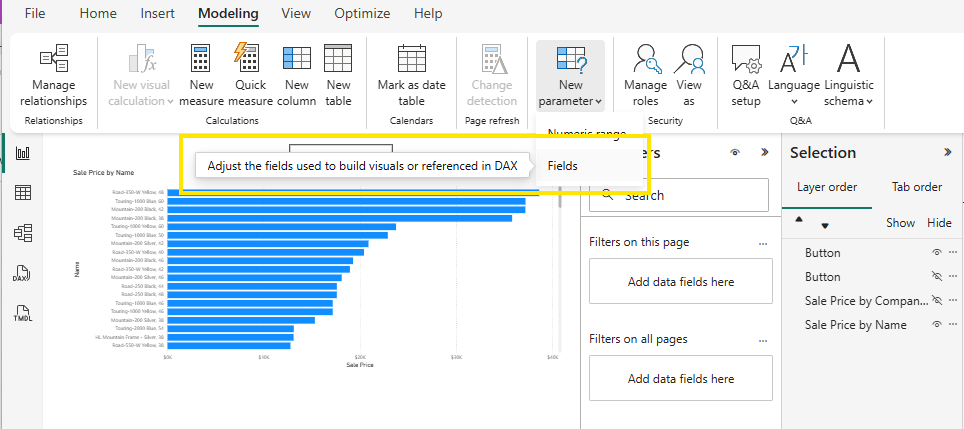
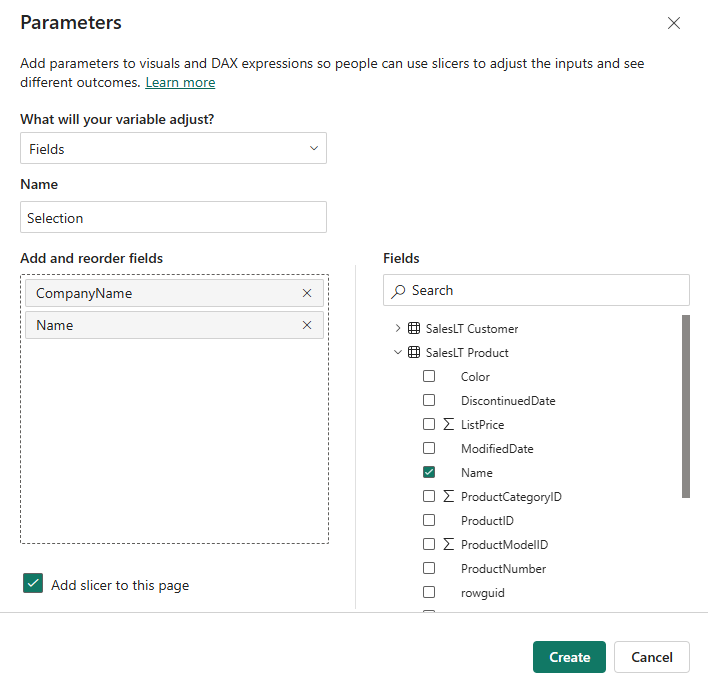
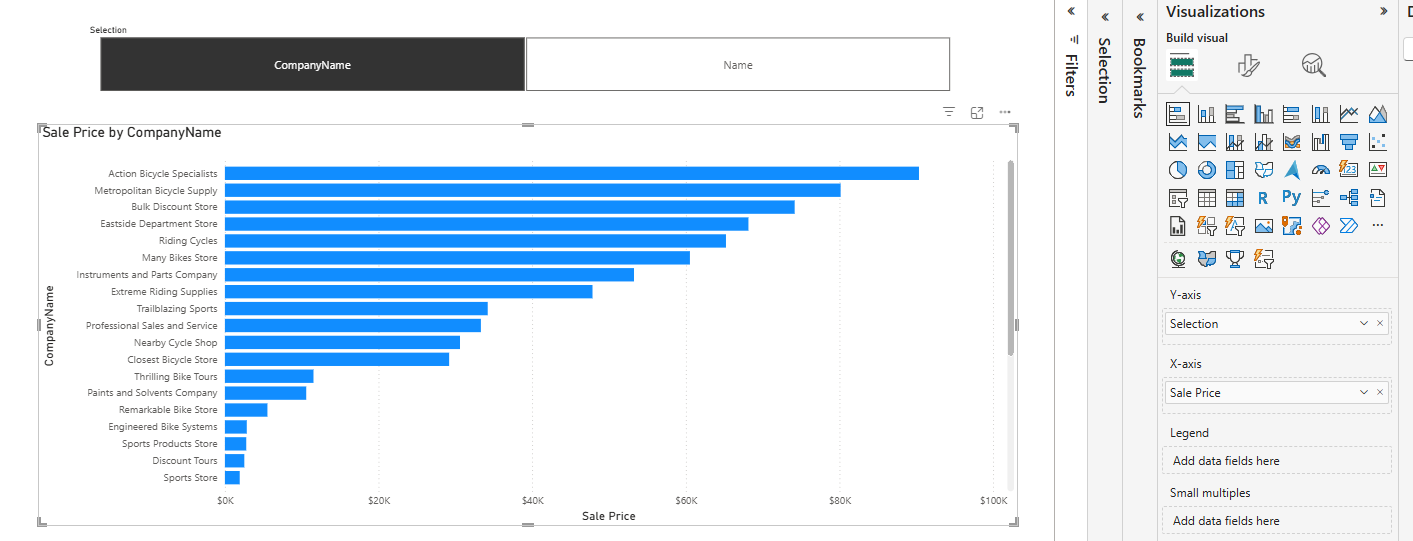
Modeling → New Parameter → Fields. Added CompanyName and Name as the two swappable fields. Power BI generated a parameter table and a slicer automatically. I dropped the parameter onto the X-axis instead of a hardcoded field, and the chart started swapping live off the slicer selection.
Field parameters won, and not narrowly
- Object count — the field parameter needed one table and one slicer. Bookmarks needed two bookmarks and two buttons, and one more of each for every view you add.
- What's actually being swapped — a field parameter changes the field on the axis and nothing else. A bookmark captures the whole visual state at the moment you saved it: more than the job needs, and a source of subtle bugs later when the report changes.
- Adding a third view — one row in the parameter table, versus a third bookmark, a third button, and re-testing that the first two still work.
Bookmarks are still the right tool for what they're built for — snapshotting full report state (filters, drill state, visual visibility) for guided narratives or a “reset view” button. Axis switching isn't that.
If the only thing you need to swap is which field drives a visual, reach for a field parameter first. Save bookmarks for when you genuinely need to capture the whole report state.
What I take from this
- Field parameters: fewer objects, trivially extendable, and they swap only what you asked them to
- Bookmarks capture extra state you didn't ask for, which ages badly as the report evolves
- Reach for the lightest tool that does the job — the familiar one isn't automatically the lightest